Six moves.The whole app.
Everything in AirVA is a hand gesture read by your webcam — drawing, erasing, menus, the infinite canvas. This hand is drawn from the same 21 landmarks the app reads, cycling all six. Learn them in a minute; own the interface.
 the gesture
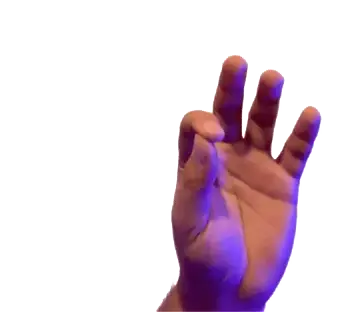
Draw
Pinch thumb + index, move.
The pinch is the pen. Close it and the line begins exactly where your fingertips meet; keep it closed and the stroke follows your hand. Open it and the pen lifts.
 the gesture
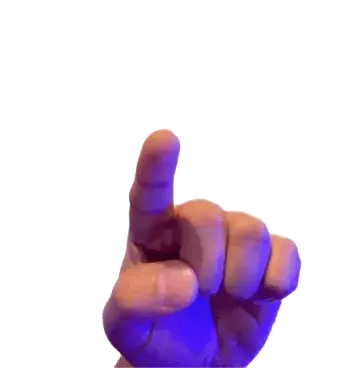
Point
Extend only your index finger.
A star pointer appears where you point. It is how you aim at panels and menus without touching anything — the cursor, reinvented for a camera.
 the gesture
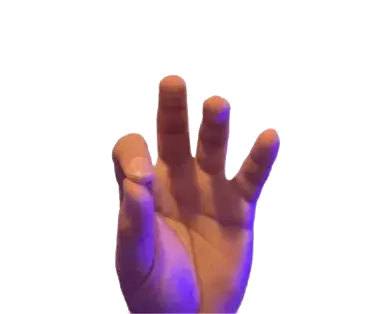
Erase
Raise index + middle, pinch ERASE, then pinch over strokes.
Open the tools with two fingers, pick the eraser, and pinch across anything you want gone. The eraser sizes itself to how wide you open your pinch.
 the gesture
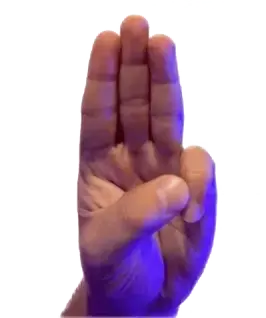
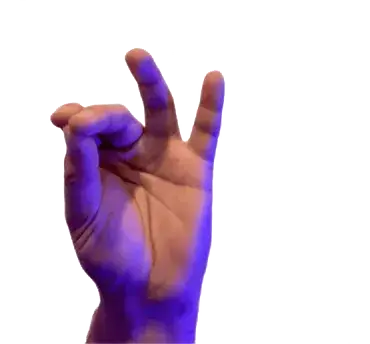
Session menu
Raise index + middle + ring.
Three fingers up summons the session menu — undo, export, backgrounds, the rest. No toolbar to hunt through.
 the gesture
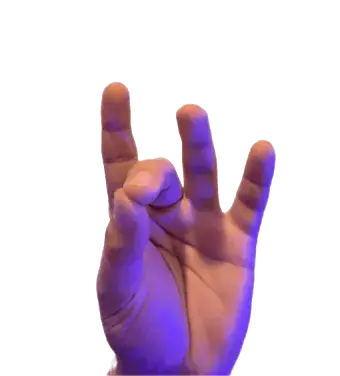
Pan
Pinch thumb + index + middle together, move.
The canvas is infinite. Grab it with a three-finger pinch and drag any direction — the drawing stays, the world moves.
 the gesture
Zoom
Pinch thumb + middle, move up or down.
Lean into detail or pull back to see the whole piece. Up zooms in, down zooms out, centred on your hand.
Measured on your hand.
Hands are not the same size, and neither is the gap between anyone's thumb and index finger. So before you draw, AirVA watches you hold an open hand, watches you hold a pinch, and places every trigger threshold inside the gap it just measured on you — the pen goes down where you expect it to, not slightly before or after.
one open hand · one pinch · a few seconds, once
the camera feed is read on your device and never leaves it